Crease care
Care for the crease, hide it in plain sight
Every folding phone has a crease where the screen bends, and the iPhone Duo is no exception. You cannot remove it — but with gentle care and the right wallpaper, you can make it something you stop noticing.
What the crease actually is
The iPhone Duo's inner display is one continuous screen that folds in half, and the crease is the shallow valley where it bends. In landscape, it runs straight down the middle of the display, from top to bottom. It is not a crack and it is not damage: it is where the display flexes every time the phone opens and closes. You can usually feel it faintly with a fingertip if you run one slowly across the centre of the screen, and you can see it when light catches the dip at a shallow angle.
How visible it is depends on the moment, not just on the phone. The same crease can be invisible in one room and obvious in another. That is the useful part: if visibility changes with light and with what is on the screen, then light and what is on the screen are two things you can control. This guide covers both — how to look after the fold, and how to pick a wallpaper that works with it instead of against it.
One thing to get straight before anything else: no wallpaper, cleaner or habit will erase the crease. What you are doing is reducing how often your eye lands on it. That is a realistic goal, and it is achievable on day one.
Why the crease catches your eye
Your eye is drawn to straight lines and to changes in brightness, and the crease is both at once: a long straight dip that reflects light differently from the flat glass on either side. Three things make it stand out more.
- Bright, flat colour. A pale sky, a white page or a solid light background gives the crease a clean surface to interrupt. A bright line across a bright field is exactly what the eye notices first.
- Light from the side. Sunlight or a lamp hitting the screen at a low angle throws the dip into relief, the way raking light shows every bump in a plaster wall. The same screen under soft overhead light can look perfectly flat.
- Straight lines crossing it. A horizon, a building edge or a ruled line that runs across the fold is broken by the dip, and the break is what you see. A busy, irregular pattern has nothing straight to break, so there is nothing for the eye to catch on.
Smudges make it worse in the same way. Fingerprints and dust collect slightly differently along the dip than on the flat areas, so a dirty screen shows the fold more than a clean one. That is why cleaning is the first and cheapest fix, before you change anything else.
Everyday care: small habits that help
Nothing here needs a special product. The aim is simply to avoid pressing, scraping or trapping anything on the fold.
- Open and close it with two hands. Hold the phone by its edges and let the hinge do the work. Prying it open from the middle, or pressing down on the centre of the screen to snap it shut, puts force exactly where the display is thinnest.
- Keep grit out of the fold. Sand, crumbs and pocket dust are the real enemy of any folding screen, because a hard grain trapped in the fold gets pressed into the display when you close the phone. Empty your pocket of sand after the beach, and shake out a bag before the phone goes in.
- Do not press on the crease. Avoid tapping hard on the centre line, leaning on the open phone, or stacking anything on top of it. The screen is built to bend along that line; it is not built to be pressed flat.
- Keep it out of heat. Do not leave the phone on a car dashboard in the sun or against a radiator. Heat is bad for batteries and displays generally, and a folding display has more reason than most to stay cool. We have not measured any specific temperature at which the crease changes, so treat this as general care rather than a precise limit.
- Use a case that covers the hinge side. A case will not hide the crease on screen, but it keeps grit and knocks away from the hinge area, which is where damage would start.
Whether the crease deepens with months of folding is something we have not been able to measure: it would need the same phone tracked over a long period, and we do not have that data. Treat the habits above as sensible caution, not as a promise about how the crease will age.
How to clean the inner screen
Clean the screen when it looks smudged, not on a schedule. A clean screen shows the crease less, and cleaning is also the one maintenance step where doing it wrong can genuinely cause harm — so keep it simple.
- Start dry. Take a clean, dry microfibre cloth and wipe the inner screen in slow, straight strokes along the crease, not across it. Wiping along the fold moves dust out of the dip instead of dragging it across the display. Most fingerprints and dust come off this way, and for a daily clean this is all you need.
- If a mark stays, dampen the cloth — never the phone. Wet a corner of the microfibre cloth with a little plain water, wring it out until it is barely damp, and wipe the mark gently. Do not spray, drip or pour water onto the screen, and never let liquid sit in the fold or near the hinge.
- Dry it straight away. Follow with the dry part of the cloth so no moisture is left on the screen, especially along the crease line.
- Fold it shut and wipe the outside. The cover screen picks up the same fingerprints, and cleaning it takes ten seconds while you have the cloth out.
What not to use. Do not use chemical cleaners, glass cleaner, alcohol, acetone, nail polish remover, or any solvent or abrasive wipe. These can damage the screen's coatings, and a folding display's coatings are not something you can have reapplied at home. If a cloth is dirty, wash it or use a fresh one: a cloth full of grit will scratch. Paper towels and shirt sleeves are not a substitute for microfibre — they are rougher than they feel and they leave lint in the fold.
One more thing not to do: do not try to "iron out" the crease by pressing on it, rubbing it hard, or running anything firm along it. Pressure on the fold is exactly what the care habits above are trying to avoid, and no amount of rubbing will flatten a bend that is part of how the display is made.
Wallpapers that hide the crease
Cleaning takes care of the screen itself. The wallpaper takes care of what your eye does with it. The crease is a straight vertical line down the middle of the inner display in landscape, so the wallpapers that hide it best are the ones that give that line nothing to interrupt and nothing to reflect against.

Dark wins. On a dark wallpaper the crease has almost no brightness to work with. A dip in a near-black field reflects very little light, so there is little contrast for your eye to pick up. Our Crease Hiders collection is built on this: dark, low-contrast textures whose darkest area sits on the fold itself. Deep Nebula, above, is the clearest example — indigo and violet dust lanes that are darkest exactly where the crease runs.
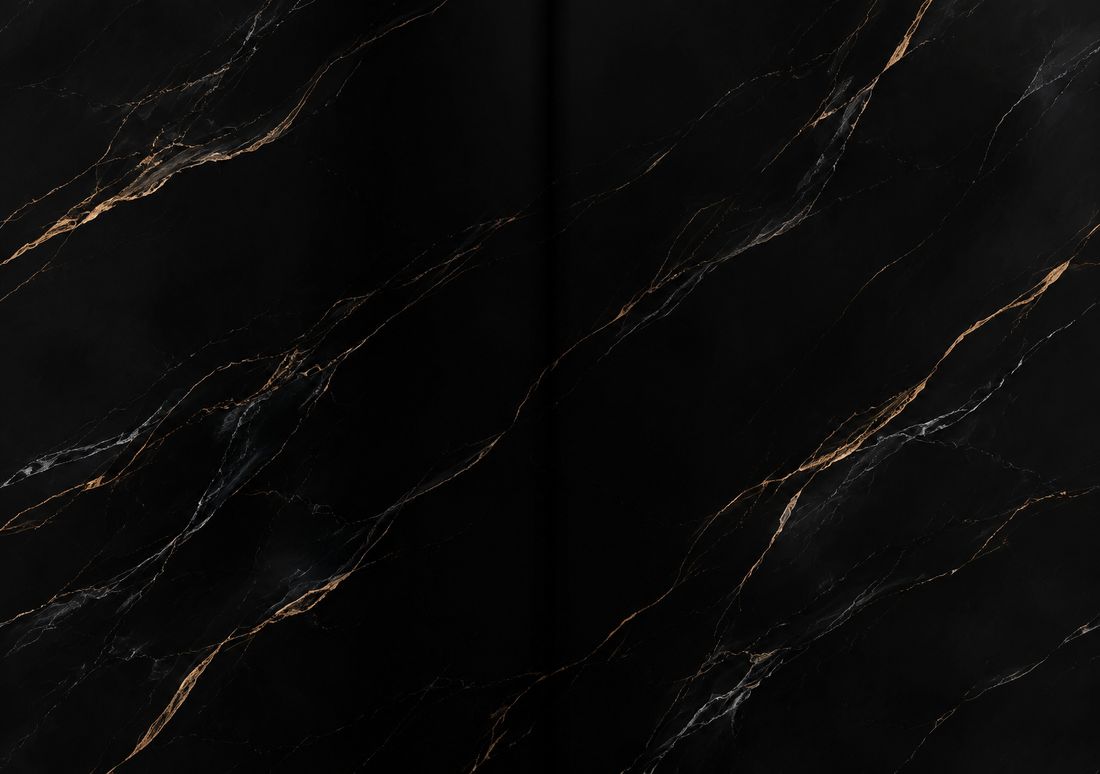
Low contrast beats busy. It is not darkness alone that matters, but how much the brightness changes across the image. A dark image with one glaring bright patch is worse than a mid-tone image that is even throughout, because the eye goes straight to the bright patch — and to anything that crosses it. Black Marble works because its gold veins are fine and irregular: they wander, they do not run in straight lines, and they never form a long edge that the crease could break.

Soft, irregular texture is your friend. Fog, smoke, water, silk and nebulae all share the same advantage: no straight edges, no hard boundaries, and brightness that changes gradually. Autumn Fog Forest is a good test case — morning fog drifting through a canopy has no line for the crease to interrupt, so the fold simply disappears into the haze. The same logic favours gradients that are darkest at the centre, organic patterns like wood grain or marble, and anything where the middle of the image is the calmest part rather than the busiest.
Remember how the phone crops the image, too. iOS sets one wallpaper — a single 2892 × 2034 master — and derives every view from it, so the crease always falls on the same vertical strip: the middle of the master. That means you can judge a wallpaper by its centre. If the middle band is dark, soft and free of straight lines, the crease will be hard to see on every screen. The simulator shows the centre-strip crop the phone will use, so check a design there before you set it; the size guide explains the crop in full.
Wallpapers that make the crease worse
Knowing what to avoid is as useful as knowing what to pick. The worst wallpapers for the crease are the ones that hand your eye a straight edge to follow across the fold:
- Bright, flat backgrounds. White, pale blue and light grey are the worst of all. They give the crease maximum contrast and nothing else to look at.
- Straight lines across the middle. Horizons, skylines, roads, ruled paper, window frames and architectural edges all run straight into the fold and come out visibly jogged on the other side. A design whose main line crosses the crease at a right angle is the single most exposing choice you can make.
- Symmetrical faces and objects split down the middle. A face or a building mirrored exactly on the hinge looks striking when the phone is open — but it also puts the most detailed, most watched part of the image directly on the crease. If your goal is to hide the fold, save the split-face designs for days when you want to show it off instead.
- High-contrast geometric patterns. Checkerboards, grids and hard-edged shapes create dozens of small straight edges, and the crease breaks every one it crosses. The busier and sharper the geometry, the more breaks there are to notice.
None of these are bad wallpapers — some of our most popular designs do exactly this on purpose, because they use the fold as part of the joke or the composition. The point is to choose deliberately: a crease-hiding wallpaper for everyday use, and a fold-celebrating one when you want the effect.
A checklist before you set a wallpaper
Run through this in about thirty seconds, ideally in the simulator, before you commit to a design:
- Look at the middle band. Is the central strip — the part the cover shows, about 48% of the width — dark, or at least even in brightness? That strip is where the crease lives.
- Check for straight lines. Does anything run horizontally across the centre, or vertically along it? A vertical line sitting exactly on the crease can actually help by masking it, but a horizontal line crossing it will always show the break.
- Check the top. The clock sits at the top of the Lock Screen. If the top band is bright or busy, the time is hard to read and the crease is not the only problem.
- Tilt the phone. Open the design on the phone and tilt it under a lamp or a window. Raking light is the harshest test: if the crease stays hidden there, it will stay hidden anywhere.
- Live with it for a day. A wallpaper that hides the crease in the shop can still annoy you after a day of notifications and glare. If you notice the fold more than the picture, swap it — changing a wallpaper takes two minutes, as the setup guide shows.
What a wallpaper cannot fix
A word of honesty to close with. A wallpaper hides the crease from your eye; it does nothing to the display itself. If the crease ever looks different from one day to the next — a new bright line, a spot that catches light where it did not before, or a change you can feel with a fingertip — that is not a wallpaper problem, and no image will fix it. The same applies to screen protectors: whether a protector makes the crease more or less visible is unconfirmed, and varies with the protector, so we do not recommend buying one for that reason. And if the phone has been dropped or bent, get it checked rather than covering it up with a dark background.
For everything else, the combination in this guide is the whole job: keep the screen clean with a dry or barely damp microfibre cloth and nothing stronger, handle the fold gently, and set a dark, soft, line-free wallpaper with its calmest part in the middle. Do those three things and the crease stops being something you look at — it becomes something you forget is there.
Start with the Crease Hiders collection, try a few in the simulator, and set the one that disappears best under your own light.
Questions
| Can I remove the iPhone Duo crease? | No. The crease is the line where the folding display bends, not damage and not something a setting, cleaner or wallpaper can erase. What you can do is make it far less noticeable: keep the screen clean, and use a dark, low-contrast wallpaper with no straight lines across the middle. |
|---|---|
| What should I use to clean the crease and the inner screen? | A clean, dry microfibre cloth, wiping slowly along the crease rather than across it. For a stubborn mark, dampen a corner of the cloth with a little plain water, wring it out until barely damp, wipe gently, then dry the screen straight away. Never spray liquid on the phone, and do not use chemical cleaners, alcohol or acetone. |
| Do dark wallpapers really hide the crease? | Yes, and it is the single biggest difference a wallpaper makes. On a dark, even image the crease has little light to reflect and little contrast for your eye to catch. Dark, low-contrast textures with no straight lines — fog, smoke, nebulae, dark marble — hide it best; bright flat colours and hard horizontal lines expose it most. |
| Will a screen protector hide the crease? | Unconfirmed. Whether a protector makes the crease more or less visible varies with the protector, and we have not measured it. Do not buy a protector for that reason; choose it for scratch protection if you want one at all. |
| Does the crease get worse the more I fold the phone? | We have not been able to confirm that. It would need the same phone tracked over months, and we do not have that data. Handle the phone by its edges, keep grit out of the fold, and do not press on the centre line — sensible caution, not a prediction about how the crease will age. |
More guides: Wallpaper size guide · How to set a wallpaper · Different wallpaper per screen · Blurry wallpaper fix · On iPad, Mac & iPhone · Best wallpapers · Lock & Home pairing · Dark & light mode · Holiday wallpapers · Live Photo wallpaper · Move wallpapers to Duo · Save & share wallpapers · Stretched wallpaper fix