Holiday wallpapers
Holiday wallpapers for the iPhone Duo
A holiday wallpaper only works if it survives the fold. Here are the designs on this site that hold up on both screens, season by season, and how to pick between the lock screen and the home screen for each one.
How to pick a holiday wallpaper for a folding phone
Holiday wallpapers fail on the iPhone Duo for the same reason most wallpapers fail on it: they were drawn for a tall portrait phone, and the Duo's inner screen is a wide landscape one. A Christmas tree that fills a normal phone screen gets cut in half when iOS crops it for the 2670 × 1878 inner display, and the star on top can end up outside the frame entirely. The designs on this site are drawn as 2892 × 2034 landscape masters, so the whole scene fits the open phone, and the cover shows the middle of it. That changes how you should judge a holiday design: look at the full image first, then check the middle strip, because that strip is what you will see every time the phone is folded.
The second thing to judge is the clock. On the Lock Screen the time sits at the top of the display, in white text, over the top of your wallpaper. A holiday design with a bright sky, a glowing moon or a firework burst right at the top will fight the clock for attention, and on a sunny day the time can become hard to read. The best holiday wallpapers on this site keep the top of the image calm — a dark sky, a plain background, a soft glow — and put the celebration lower down, where it cannot collide with the time. When you browse the picks below, that is the test we applied to each one: does it look good folded and unfolded, and can you still read the clock?
The third thing is how long the design stays up. A Halloween wallpaper is fun for a week and tiring for a month, so the strongest seasonal picks are the ones with enough detail to reward a second look. We have grouped the recommendations below by holiday, with a note on whether each design works better as a Lock Screen picture — bold, seen for a few seconds at a time — or as a Home Screen picture, where it has to sit quietly behind your apps all day. Every design is free to download in both the inner and cover sizes from its own page.
| Holiday | Best pick on this site | Lock or Home Screen |
|---|---|---|
| Christmas | Christmas Tree, Christmas Gift, Snow Globe | Lock Screen for the tree, Home Screen for the gift |
| Halloween | Pumpkin, Black Cat, Ghost, Haunted House | Lock Screen — dark, bold, short-lived |
| Lunar New Year | Lunar New Year | Lock Screen — red and gold read well folded |
| New Year | New Year Fireworks | Lock Screen, with a dark Home Screen behind it |
| Day of the Dead | Marigold Altar | Lock Screen — warm colour, calm top |
| Autumn harvest | Autumn Harvest, Autumn Fog Forest | Either — warm tones suit both |
Christmas: tree, gifts and snow
Christmas is the easiest holiday to get wrong on a folding phone, because the classic Christmas image is a tall tree, and a tall tree is exactly the shape the Duo's wide inner screen crops hardest. Our Christmas Tree is drawn the other way round: a full tree scene composed across the whole landscape frame, with the star and the brightest ornaments kept inside the central strip. Folded, the cover shows the tree itself, large and centred; unfolded, you get the whole scene, with presents and lights spreading to both sides. That is the composition to look for in any Christmas wallpaper: the tree should sit in the middle, not at the edge, because the middle is the only part the cover ever shows.
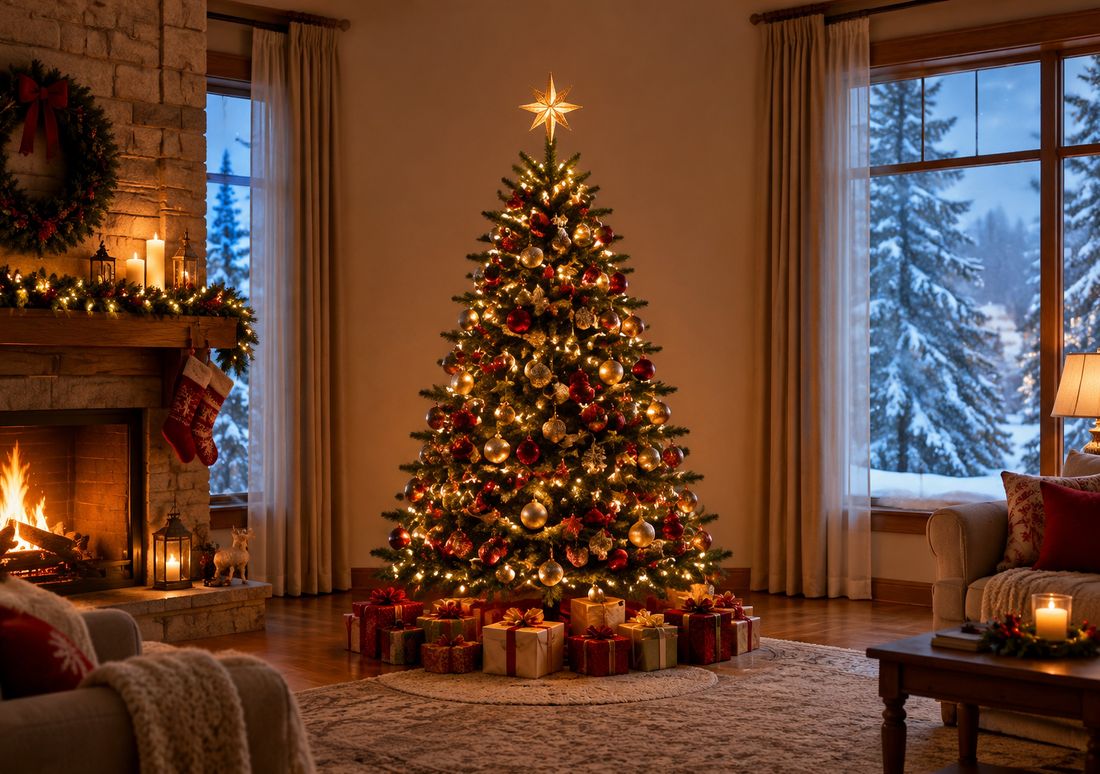
Christmas Gift is the quieter of the two, and the better Home Screen choice. It is built around wrapped presents and warm light rather than a single tall subject, so there is nothing for the fold to split and nothing bright at the top to fight the clock. If you like a festive phone without a festive Lock Screen shouting at you every time you check the time, put the tree on the Lock Screen and the gift on the Home Screen: the two share the same warm palette, so the phone feels matched without repeating the same image twice. Snow Globe is the third option, and the most playful — a globe with snow falling inside it, which works well as a Lock Screen because the globe sits dead centre and reads clearly even in the small cover crop.
One practical note for December: Christmas wallpapers look best with the brightness turned down a notch in the evening. The designs here are warm and bright by nature, and on a dark room at night a bright wallpaper is the first thing your eyes notice when the screen wakes. If you use a Focus for the evening, you can link a darker design to it and let the phone switch automatically — the same Focus trick works for every holiday in this guide.
Halloween: pumpkins, cats, ghosts and haunted houses
Halloween is the holiday the Duo handles best, and the reason is simple: Halloween designs are dark, and dark designs hide the crease. A black background with a glowing pumpkin gives the fold almost nothing to reflect against, so the crease all but disappears, and the clock stays readable because white text on a dark sky is the easiest combination there is. Our Pumpkin is the straightforward pick — a carved pumpkin glowing in the centre of the frame, with the dark field around it doing the work of hiding the fold. Folded, the cover shows the pumpkin face, large; unfolded, you see the whole scene.
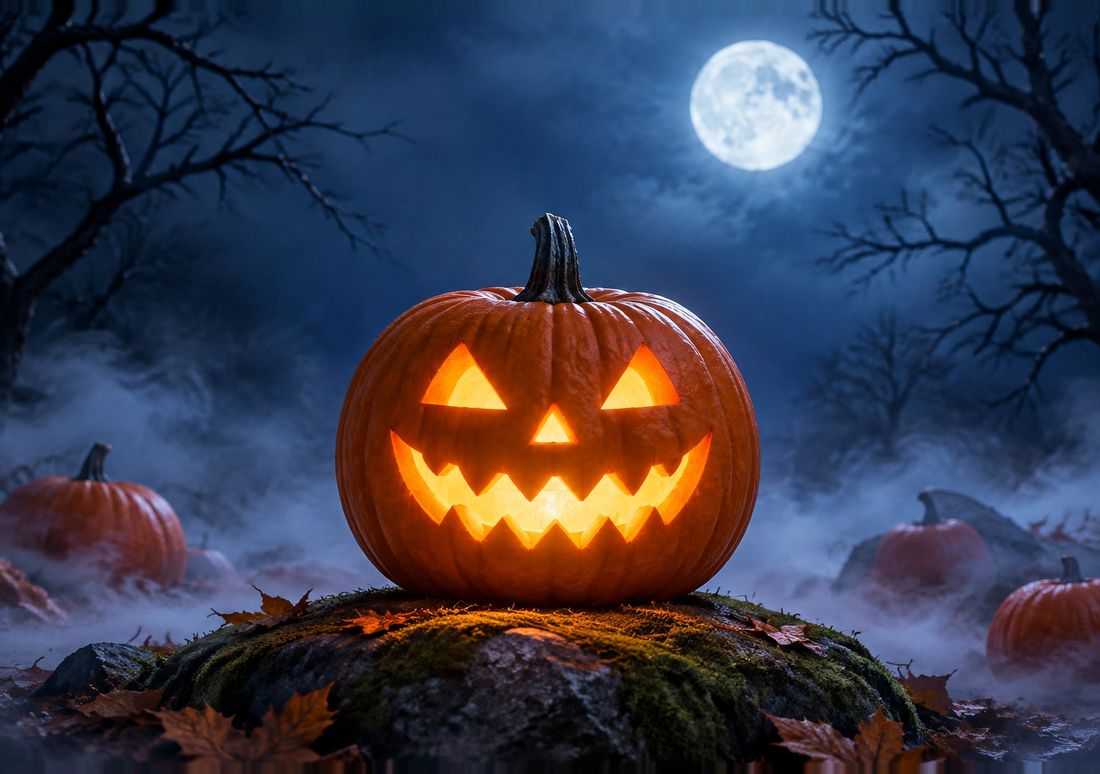
The rest of the Halloween set covers the other moods. Black Cat is the most elegant of the group: a black cat against a dark background, with just enough contrast to read clearly on the cover. Ghost is the friendliest — a pale ghost floating in the middle of the frame, which works because the ghost itself is the brightest thing in the picture and it sits exactly where the cover crop lands. Haunted House is the most detailed, and the one to check most carefully before you set it: the house sits in the centre, but the bats and the moon spread to the edges, so the unfolded view is much richer than the folded one. That is fine if you mostly use the phone open, but if you mostly glance at the cover, the pumpkin or the ghost will serve you better.
Two more designs round out the set for people who want something less obvious. Spiderweb is a fine, irregular web across a dark background — irregular lines are exactly what hides a crease, because there is no straight edge for the fold to break. Witch Cauldron is the most colourful, with green glow against black, and it is the best of the group for the Home Screen, because the glow is low in the frame and leaves the top calm for the clock. Whichever you pick, Halloween wallpapers have a short season: set one in mid-October, enjoy it for two weeks, and swap it out on the first of November, before a pumpkin in December starts to feel like a joke that has gone on too long.
Lunar New Year, New Year fireworks and Day of the Dead
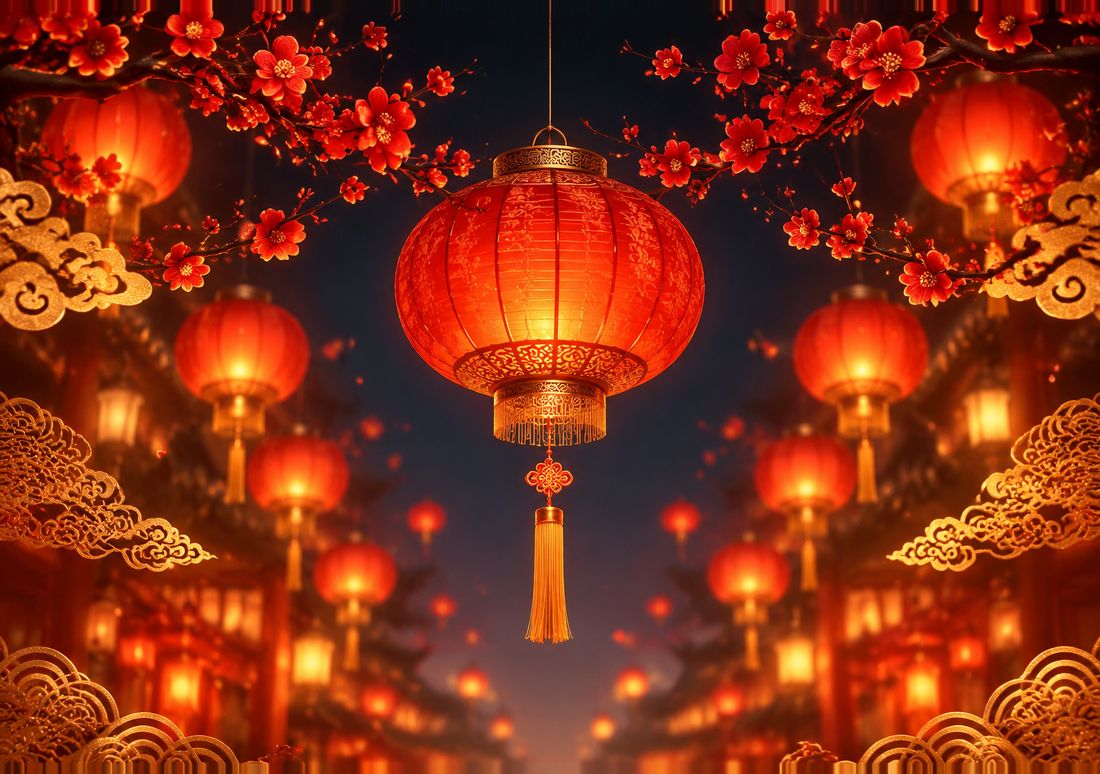
Lunar New Year is built around red and gold, the two colours that read best on a folding phone in winter light. Red is dark enough to keep the crease quiet and bright enough to feel festive, and the gold details sit in the centre of the frame where the cover shows them. It is a Lock Screen design first: the colour hits immediately, which is what you want from a picture you see for a few seconds at a time, and the top of the image is kept dark enough for the white clock text. If you celebrate Lunar New Year, this is the design to put up a week before the festival and keep until the lanterns come down.
New Year Fireworks has the opposite problem to solve: fireworks are bright, scattered and high in the sky, which is exactly where the clock sits. The design handles it by keeping the brightest bursts low and to the sides, with a dark sky at the top, so the time stays readable and the colour still explodes across the open screen. It is a good New Year Lock Screen, and it pairs well with a plain dark Home Screen behind it — the fireworks get their moment when you wake the phone, and your apps stay readable the rest of the day. Do not use it as a Home Screen: the bright bursts behind app icons make labels harder to read, and the whole point of the design is the moment it appears, not the hours it sits behind your apps.
Marigold Altar is the Day of the Dead design, and it is the warmest of the three. Marigolds are orange and gold against a deep background, which is a combination that hides the crease well and looks good in both bright daylight and a dark room. The altar itself sits in the centre of the frame, so the cover shows the flowers and the candles clearly, and the top of the image is calm. It is a respectful design rather than a spooky one, and it works for the whole season around the Day of the Dead rather than just the day itself. If you want one wallpaper for late October that is not Halloween, this is it.
Autumn harvest: the longest season of all
Autumn is the longest holiday season in this guide, because it starts in September and runs until the first snow, and the designs for it are the most versatile. Autumn Harvest is the direct pick: pumpkins, leaves and warm earth tones across a wide landscape frame, with the richest colour in the centre. It works as either a Lock Screen or a Home Screen, because the tones are warm rather than bright — they sit behind app icons without fighting them, and they look just as good in the small cover crop as they do unfolded. Autumn Fog Forest is the quieter alternative: mist, trees and soft light, with almost no straight lines for the crease to interrupt. Fog is one of the best crease-hiders there is, because it is all soft gradient and no hard edge.
The practical advantage of the autumn designs is that they do not date. A Christmas tree in January looks wrong, and a pumpkin in November looks wrong, but an autumn forest looks right from the first fallen leaf until winter arrives. If you only change your wallpaper four times a year, make autumn one of the four, and let it carry you from September to December. Pair it with a dark Home Screen in the evening if the warm tones feel too bright at night — the same Focus trick as before — and you have a seasonal phone that never needs a mid-season rescue.
Rotating holiday wallpapers is simple once the picks are made. The calendar way is to set a design a week before the holiday and change it the day after — about two minutes per holiday, four or five times a year. If you want the phone to do it for you, iOS has two tools that help. Photo Shuffle lets you load several holiday masters into one wallpaper and rotate them on tap, hourly or daily — useful if you like the whole Halloween set and cannot pick one. A Focus can link a different Lock Screen to a different mode, so your evening Focus can show a darker design while your daytime one shows the bright seasonal pick. Both tools change the one wallpaper both screens share; neither gives the cover a different picture from the inner display, and folding the phone does not trigger a change.
Whatever you choose, download the master, not a screenshot of it. Every design page on this site offers the full 2892 × 2034 inner download and the cover size, and setting the master is what makes the holiday scene fit both screens. A screenshot of a wallpaper, or a copy saved from a message thread, will be smaller and softer, and the difference shows most on the big inner display. Keep the downloaded masters in a folder in the Files app or an album in Photos, and next year the same designs are one tap away — the tree, the pumpkin and the fireworks do not go out of date, only the year does.
Questions
| What is the best Christmas wallpaper for the iPhone Duo? | Christmas Tree, because the tree sits in the central strip the cover shows, with presents and lights spreading to the sides when the phone is open. Christmas Gift is the better Home Screen pick, since its warm light sits low and leaves the clock readable. |
|---|---|
| Which Halloween wallpaper hides the crease best? | The dark ones: Pumpkin, Black Cat and Ghost all sit on near-black backgrounds, so the fold has almost no brightness to reflect against. Spiderweb helps too, because its fine irregular lines give the crease no straight edge to break. |
| Can I use a Lunar New Year wallpaper on the cover screen? | Yes. The Lunar New Year design keeps its red and gold detail in the centre of the frame, which is exactly the part the cover shows. The top of the image is dark enough for the white clock text to stay readable. |
| Is a fireworks wallpaper good for the Home Screen? | Usually not. Fireworks are bright and scattered, which makes app labels harder to read. Use New Year Fireworks on the Lock Screen, where you see it for a few seconds, and keep a dark or blurred Home Screen behind your apps. |
| How often should I change my holiday wallpaper? | Set it about a week before the holiday and change it the day after. Autumn designs last longest, from September to December, while Halloween and Christmas designs feel dated within days once the holiday has passed. |
More guides: Wallpaper size guide · How to set a wallpaper · Different wallpaper per screen · Blurry wallpaper fix · On iPad, Mac & iPhone · Crease care · Best wallpapers · Lock & Home pairing · Dark & light mode · Live Photo wallpaper · Move wallpapers to Duo · Save & share wallpapers · Stretched wallpaper fix