Tech Teardown · 08 / 14
X-Ray Close-Up
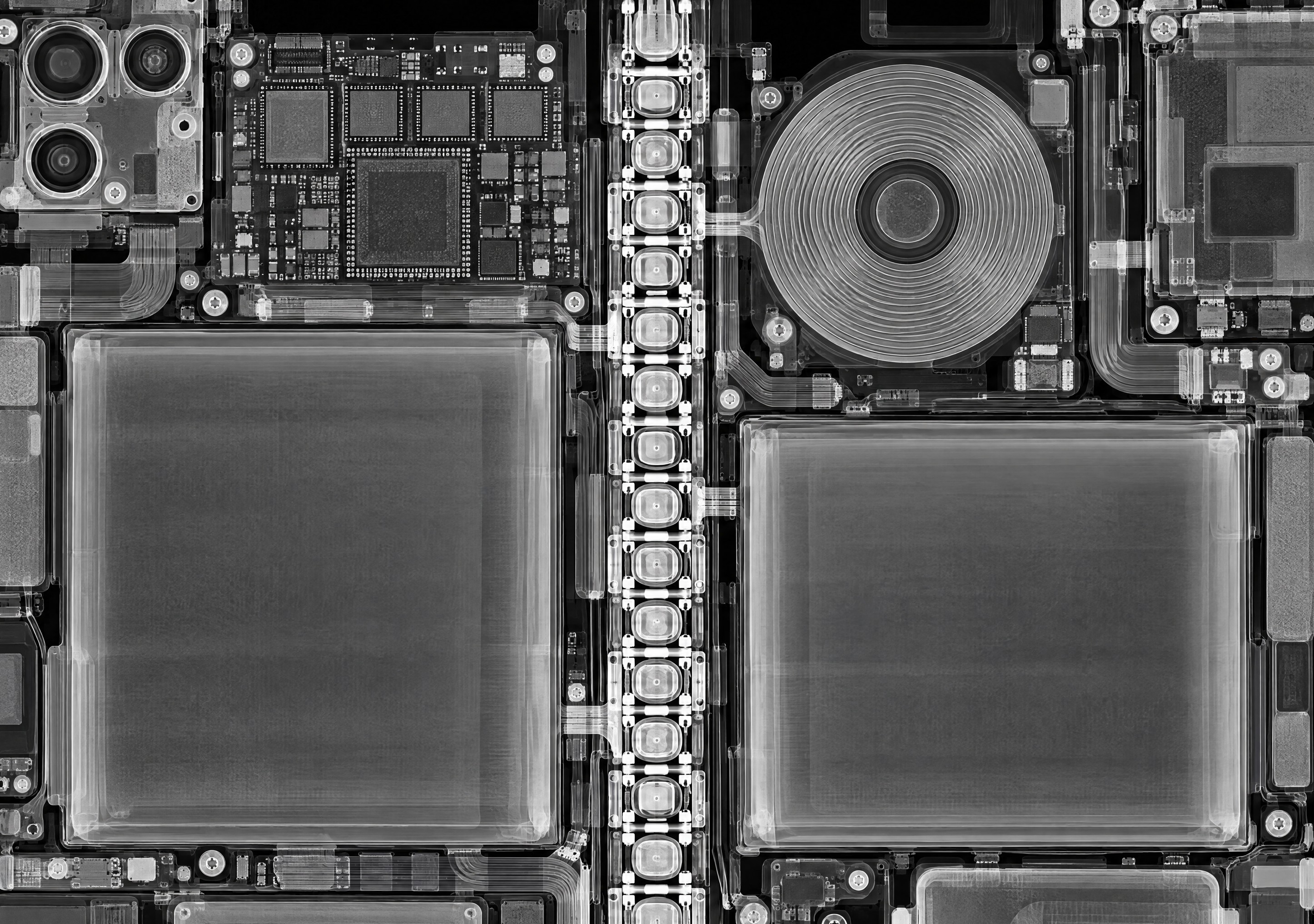
A black-and-white X-ray, close in on the hinge, the chips and the charging coil.

Best forLock screen, folded or unfolded — the hinge column is the picture either way.
Free download · one 2892×2034 master; iOS crops both screens.
- Master
- 2892 × 2034 px
- Orientation
- Landscape, 1.42 : 1
- File
- JPEG · 1.4 MB · no watermark
- Published
- Made with
- AI image model, composed and picked by hand
- License
- Free for personal use
How to set it
- Tap Download. On iPhone, Safari saves it to Files → Downloads: open it there, tap Share, then Save Image to put it in Photos.
- Open Settings → Wallpaper → Add New Wallpaper → Photos and pick it.
- Leave the framing centred — iOS takes the cover and inner views from the middle — and tap Add.
- Tap Set as Wallpaper Pair.
Every route, with screenshots of what to expect: the full guide.
Why it works on the fold
A black-and-white X-ray pulled in close: no outline of the phone, just the parts, edge to edge. The hinge is the bright column down the middle, a chain of interlocking links that the X-ray lights up brighter than anything around it. On one side, a stack of chips and a battery; on the other, the charging coil drawn as rings and a second battery. Unlike X-Ray Film, which shows the whole device, this one is about the hinge, and that is also what the cover screen shows when the phone is folded. An illustration in the style of a teardown X-ray, not a scan of the device.
Screen fit
iOS sets one poster and crops each display from it. This design is composed so the inner landscape shows the whole image and the cover takes the central strip. You set one wallpaper; the phone does the cropping.
- Cover
- 1398 × 2034 px · the central 48% of the width, full height · shown 1:1
- Sharp
- Inner, landscape
- 2853 × 2007 px · the whole image, crease down the middle · shown 1:1
- Sharp
- Inner, portrait
- 2007 × 2853 px · the central strip, crease across the middle · enlarged 1.4×
- Slightly soft
Soft or zoomed on your phone? Why wallpapers go blurry · A different wallpaper on each screen?
New to the device? Read the iPhone Duo wallpaper size guide for exact pixel dimensions, or open the simulator to see this design on a folding phone before you commit.
More like this


