Fold Gags · 12 / 12
Creaky Door
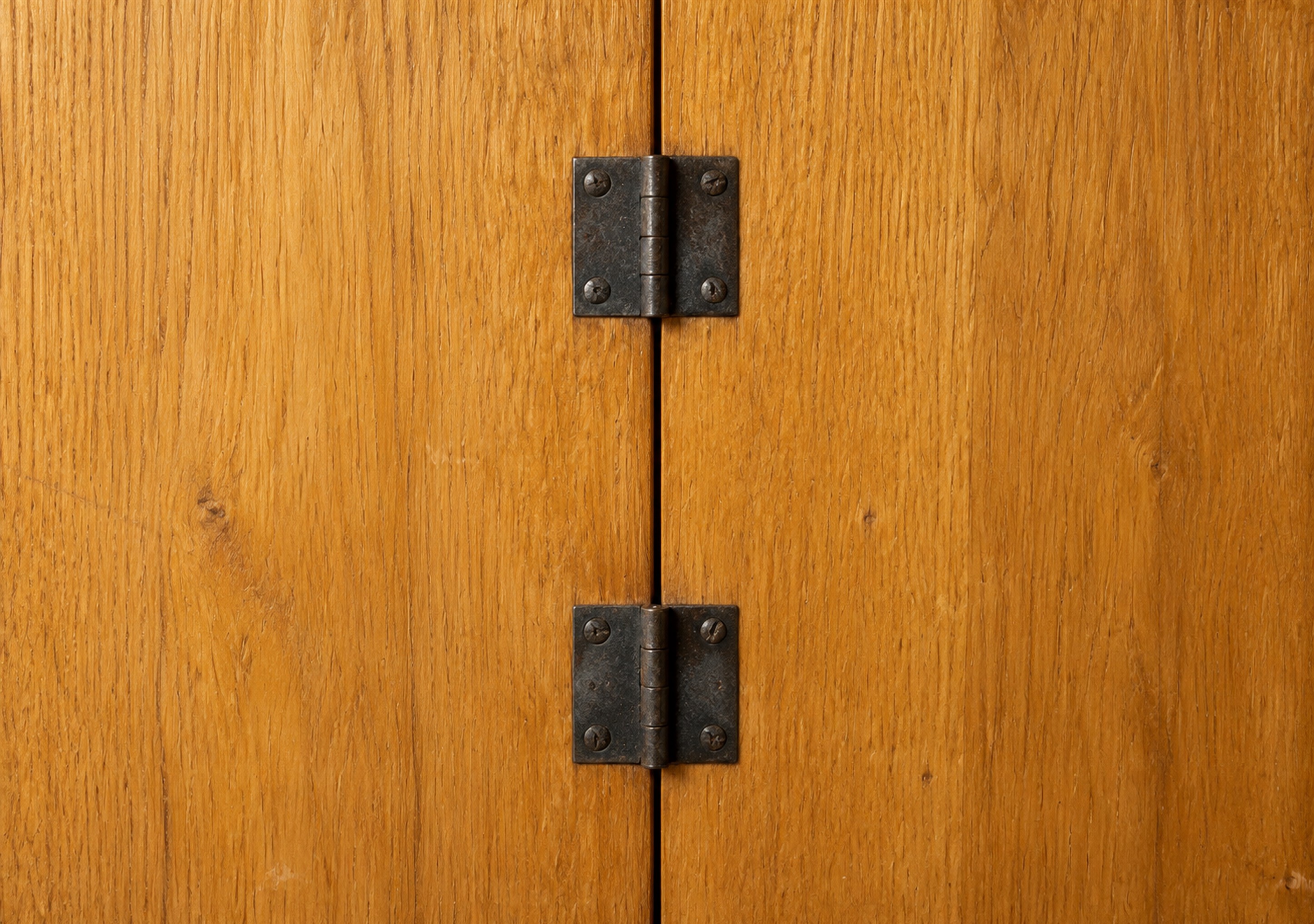
Two oak boards and two iron hinges on the crease: your phone is the door.

Best forLock screen and home screen. Plain enough for icons.
Free download · one 2892×2034 master; iOS crops both screens.
- Master
- 2892 × 2034 px
- Orientation
- Landscape, 1.42 : 1
- File
- JPEG · 1.3 MB · no watermark
- Published
- Made with
- AI image model, composed and picked by hand
- License
- Free for personal use
How to set it
- Tap Download. On iPhone, Safari saves it to Files → Downloads: open it there, tap Share, then Save Image to put it in Photos.
- Open Settings → Wallpaper → Add New Wallpaper → Photos and pick it.
- Leave the framing centred — iOS takes the cover and inner views from the middle — and tap Add.
- Tap Set as Wallpaper Pair.
Every route, with screenshots of what to expect: the full guide.
Why it works on the fold
Two honey-oak boards meet on the crease, joined by two blackened iron butt hinges. Nothing else: the phone itself becomes the door, and every time you fold it the hinges swing shut. The cover shows both hinges in the middle; dragged to either edge it is just warm oak grain.
Screen fit
iOS sets one poster and crops each display from it. This design is composed so the inner landscape shows the whole image and the cover takes the central strip. You set one wallpaper; the phone does the cropping.
- Cover
- 1398 × 2034 px · the central 48% of the width, full height · shown 1:1
- Sharp
- Inner, landscape
- 2853 × 2007 px · the whole image, crease down the middle · shown 1:1
- Sharp
- Inner, portrait
- 2007 × 2853 px · the central strip, crease across the middle · enlarged 1.4×
- Slightly soft
Soft or zoomed on your phone? Why wallpapers go blurry · A different wallpaper on each screen?
New to the device? Read the iPhone Duo wallpaper size guide for exact pixel dimensions, or open the simulator to see this design on a folding phone before you commit.
More like this


