Split wallpaper (A/B)
How to set a split wallpaper on the iPhone Duo
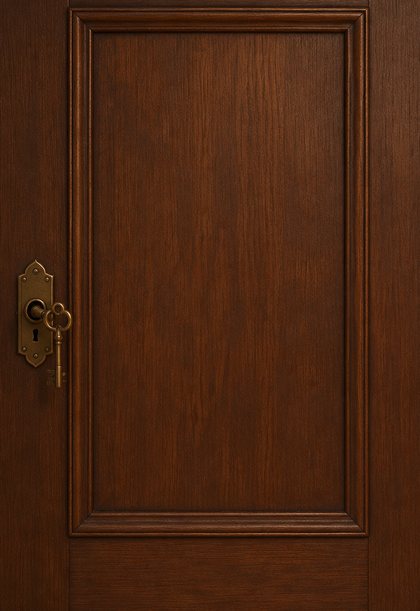
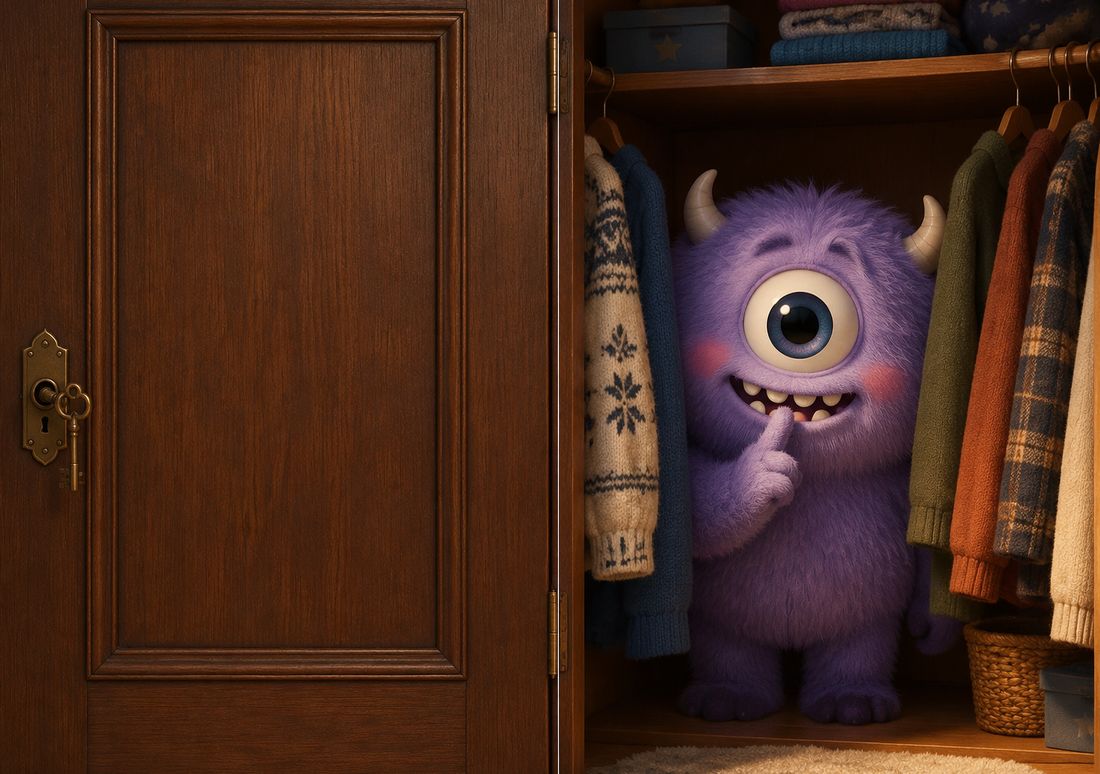
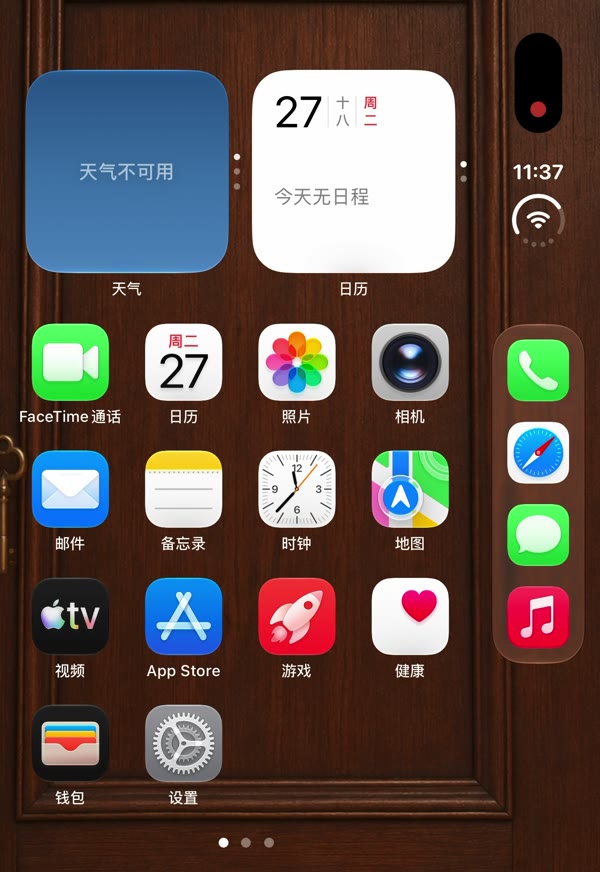
Our door wallpapers are made in two halves: a closed door on the left, the open room on the right. Set them this way and the folded phone shows only the door — open it and the scene is there.
What you get
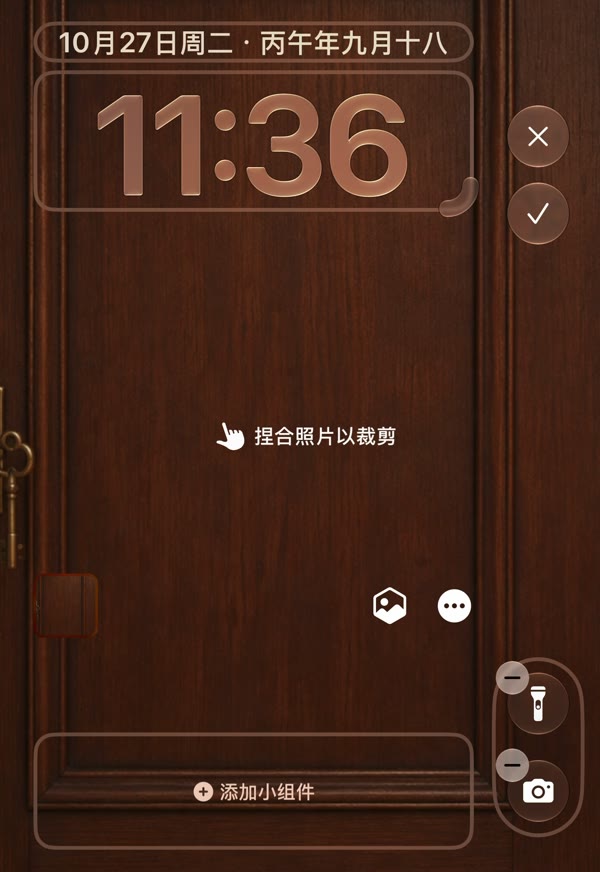
Normally the cover shows the middle of your wallpaper. With an A/B design you move that crop to one edge, so the cover shows half A — a closed toilet stall, a wardrobe, a fridge, a vault — and the inner screen, which always shows the whole image, opens onto half B. We tested it on a real iPhone Duo with Wardrobe Monster; the screenshots below are from that phone.
Before you start
Download the full 2892 × 2034 master of an A/B design and save it to Photos. The four we have now are in the A/B split collection.
Steps
- Fold the phone. On the cover screen, touch and hold the Lock Screen to open the wallpaper editor.
- Tap the small frame on the left, choose a photo, and pick the wallpaper you saved.
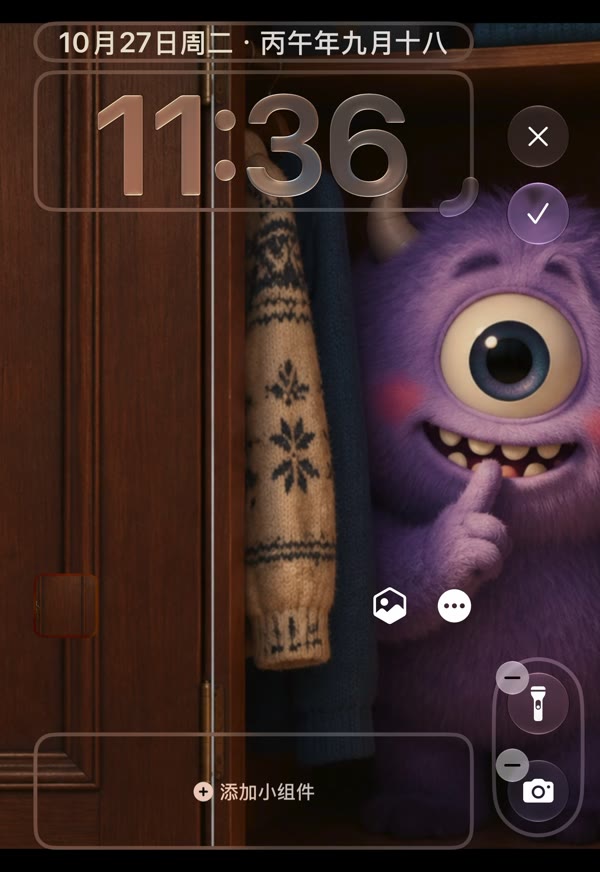
- Tap Customize. The cover now shows the middle of the picture — the monster peeking out.
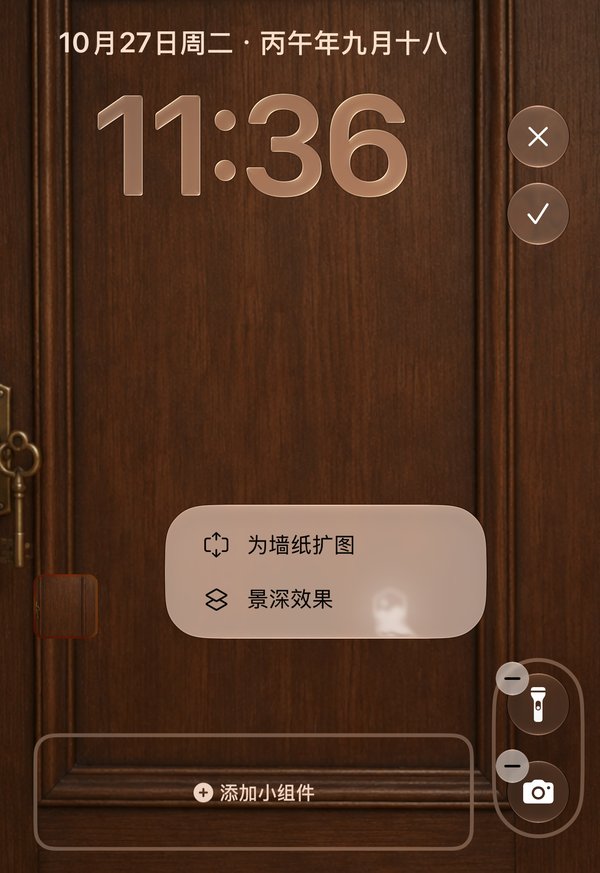
- Tap the ··· button and turn off the option that extends the wallpaper. On our Chinese-language phone it reads 为墙纸扩图. Do not skip this step.
- Pinch, and drag the picture to the right until its left half — the closed door — fills the cover. Adjust it until it sits where you like.
- Tap the ✓ in the top-right corner to save.
To show the right half on the cover instead, drag to the left in step 5.
If it does not look right
- The picture will not move far enough. The wallpaper-extend option is still on. Open the ··· menu again and turn it off.
- The door does not line up with the clock. Pinch a little and drag again; the editor shows the clock while you move, so you can keep it on the door.
- The cover still shows the middle. Make sure you edited the cover's wallpaper with the phone folded, and saved with ✓.
Which wallpapers work
Any wallpaper can be pushed to one side, but most are composed for the centre and look cut off. The A/B designs are made for it: each half is a complete picture at cover size. Every A/B design page shows the cover with the correct half in its preview.
A/B Split


Questions
| Can the iPhone Duo cover screen show only half of the wallpaper? | Yes. In the wallpaper editor on the cover, turn off the option that extends the wallpaper in the ··· menu, then pinch and drag the picture to one side. The cover shows that half; the inner screen still shows the whole image. |
|---|---|
| Why can't I drag my wallpaper to the edge on the cover? | The wallpaper-extend option is on. Turn it off in the ··· menu of the wallpaper editor, then drag again. |
| Does this change the inner screen? | No. The inner screen shows the whole wallpaper when the phone is open, which is what makes the door appear to open. |
| Which wallpapers are made for this? | Our A/B designs: a toilet stall, a wardrobe, a fridge and a vault, each with the closed door on the left half and the scene behind it on the right. |
More guides: Wallpaper size guide · How to set a wallpaper · Different wallpaper per screen · Blurry wallpaper fix · On iPad, Mac & iPhone